Salesforce

Printing a PDF File Using the ZDesigner Driver

« Go Back

Information

 
Issue / QuestionHow to print a PDF file using the ZDesigner Driver?
Applicable ToZebra Setup Utilities, ZDesigner driver, or PDF files
Resolution / Answer

On ZebraDesigner driver's side

Be sure to have configured the correct media parameters, according to the actual size of your labels.


     In the ZDesigner Driver v5

    Go to Printing Preferences > Options tab and adjust the media size on Size.


    User-added image


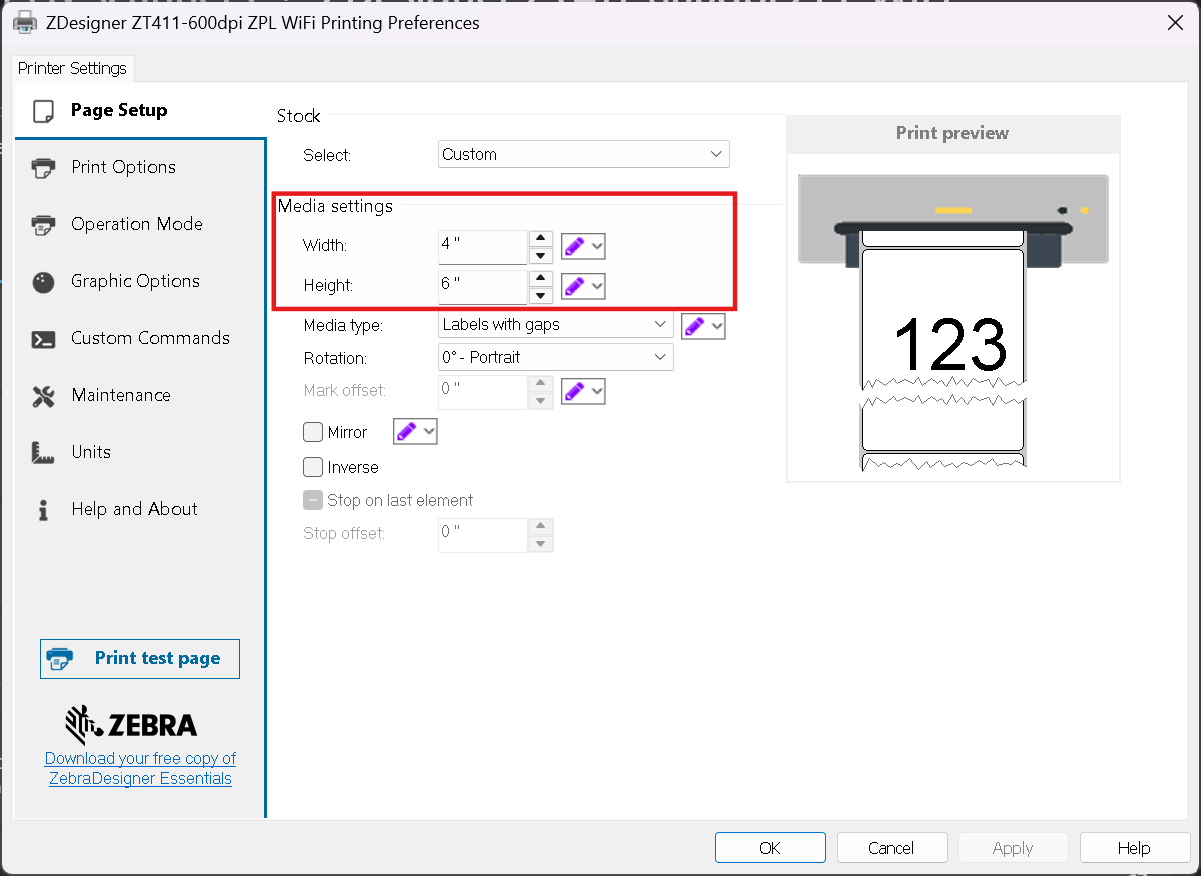
    In the ZDesigner Driver v10

    Go to Printing Preferences > Page Setup tab and adjust the media size on Media Settings.


    On your PDF client's side

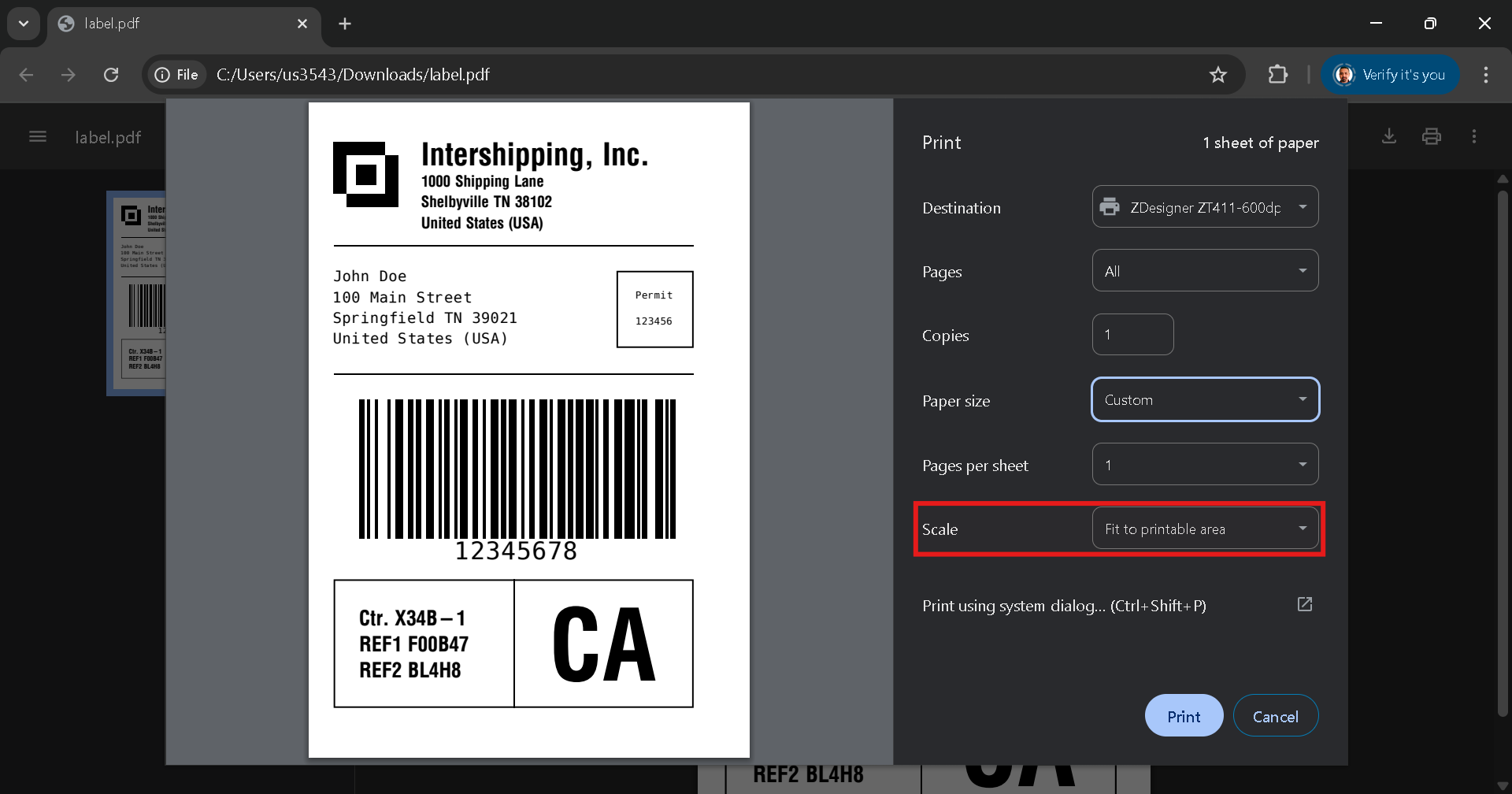
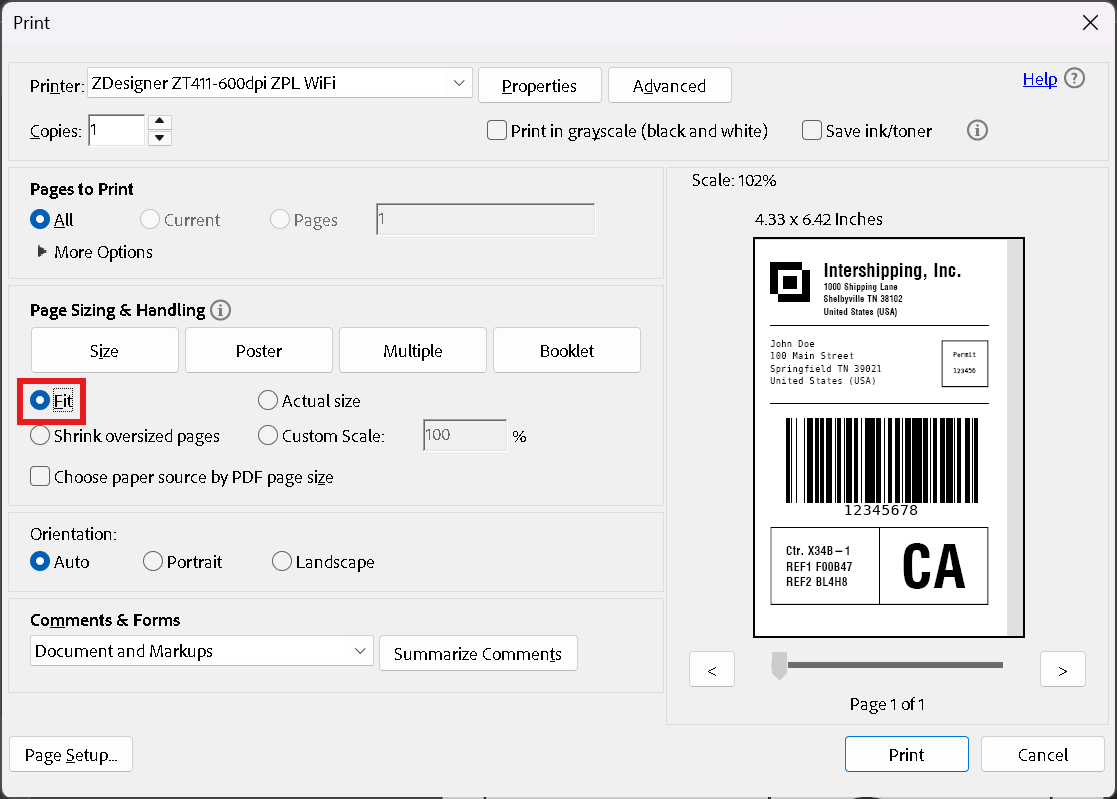
    Be sure to check the option that fits the PDF file to paper size, the name may vary according to the client you are using. You can see 2 examples below:


    In Google Chrome
     

    In Adobe Reader


    NOTE You can also alternatively use PDF Emulation to print your PDF files. More info at Printing PDF Files Using the PDF Direct - Virtual Device.


    Helpful Information:


    URL NamePrinting-a-PDF-File-Using-the-ZDesigner-Driver
    TitlePrinting a PDF File Using the ZDesigner Driver

    Powered by